Manage & curate
The ordinary site doubles as an editable workroom. For anyone allowed to change the archive, the same pages gain curation controls, marked by a warm clay “red-tape” accent, so you can add archives and curate collections in place without the command line:
indice serve # http://127.0.0.1:8080On a workstation that is the whole setup. Whoever reaches the port is the operator, so there is no login and no roster. On a server it is users.yaml that decides, and a visitor who is not listed sees the reading room.
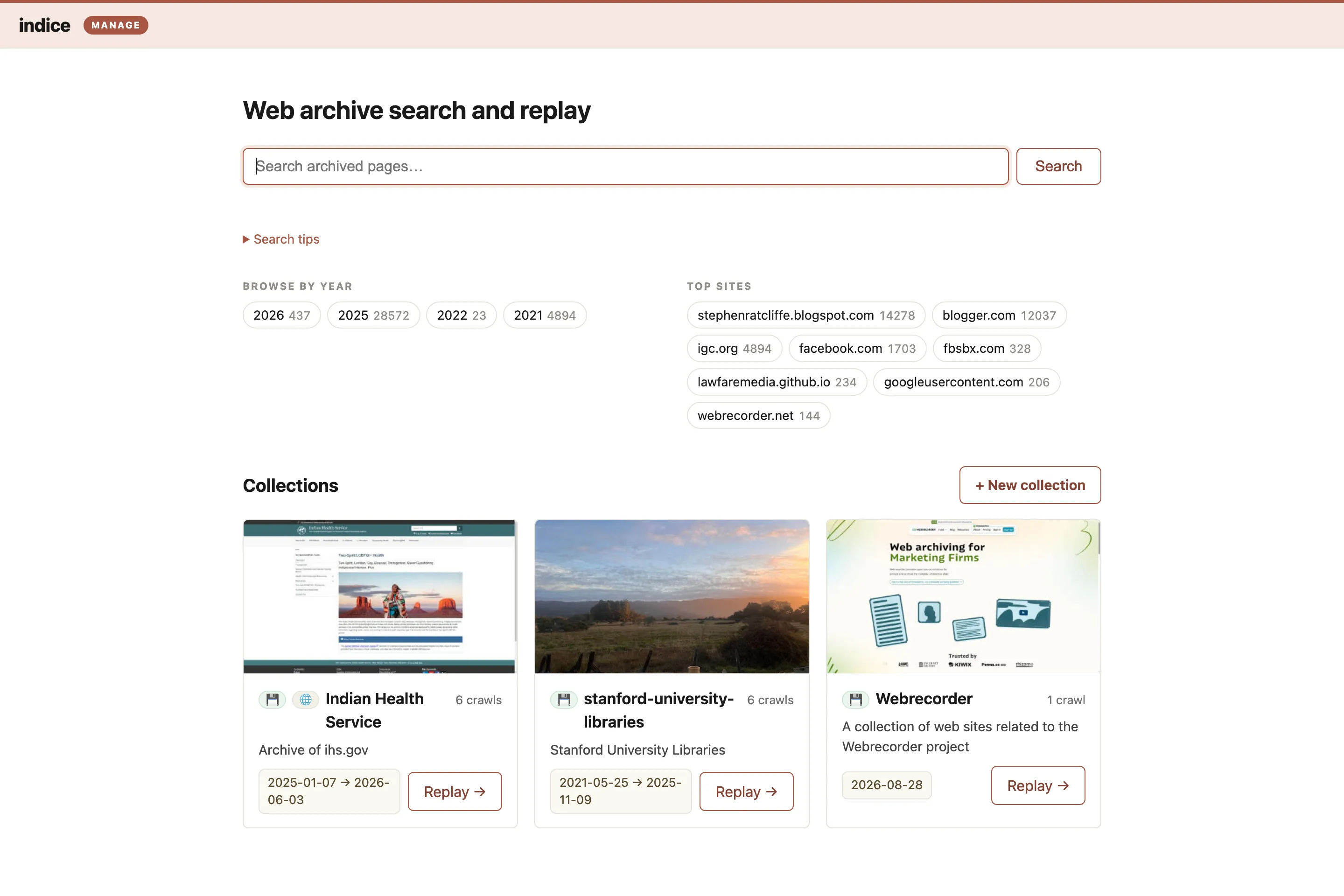
What the controls are:
- The homepage. Its collection list gains a + New collection button, and each card an Edit affordance. An empty instance shows “add your first archive.”
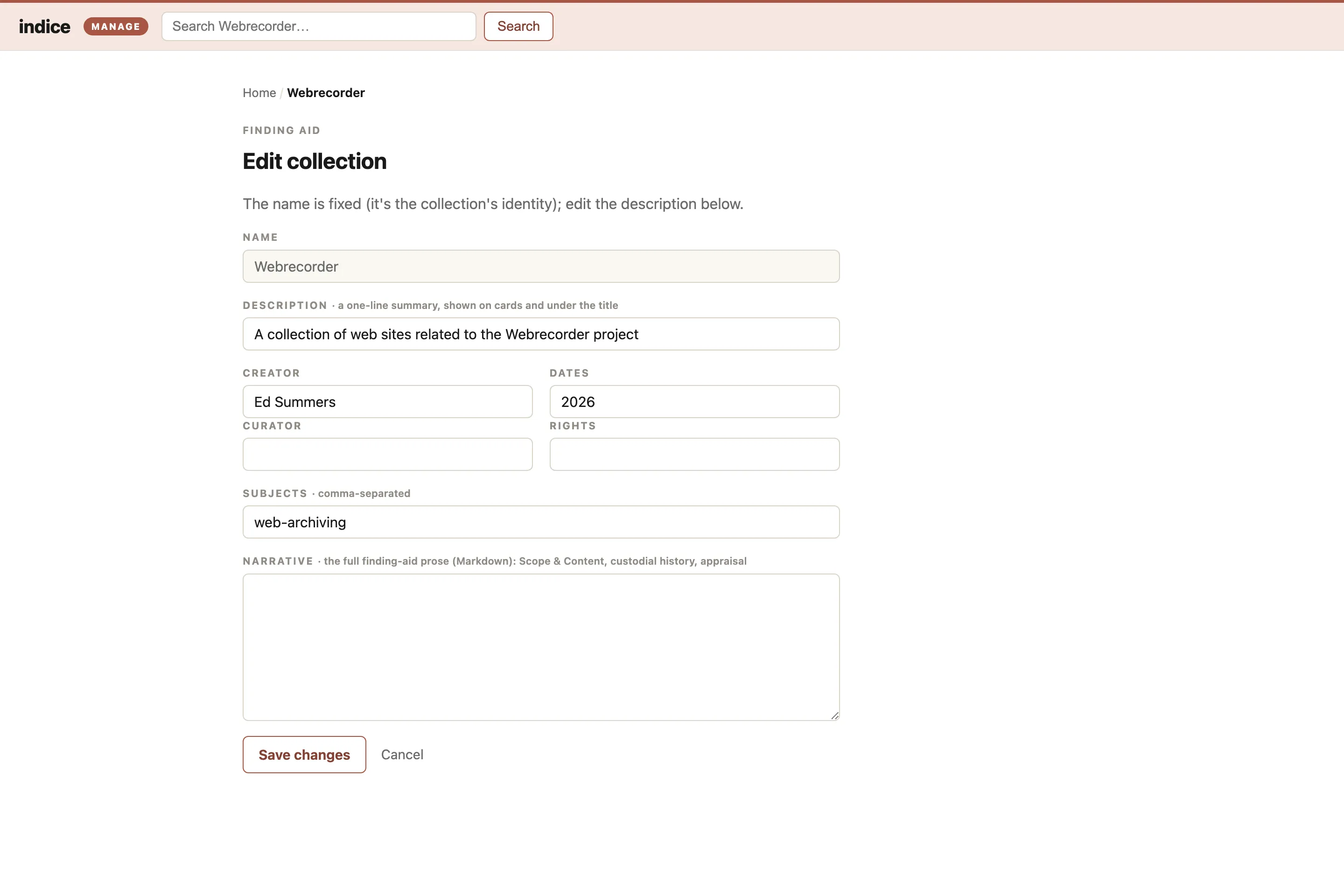
- Each collection page gains Edit collection (the finding-aid form: description, creator, dates, rights, subjects, narrative) and + Add crawls.
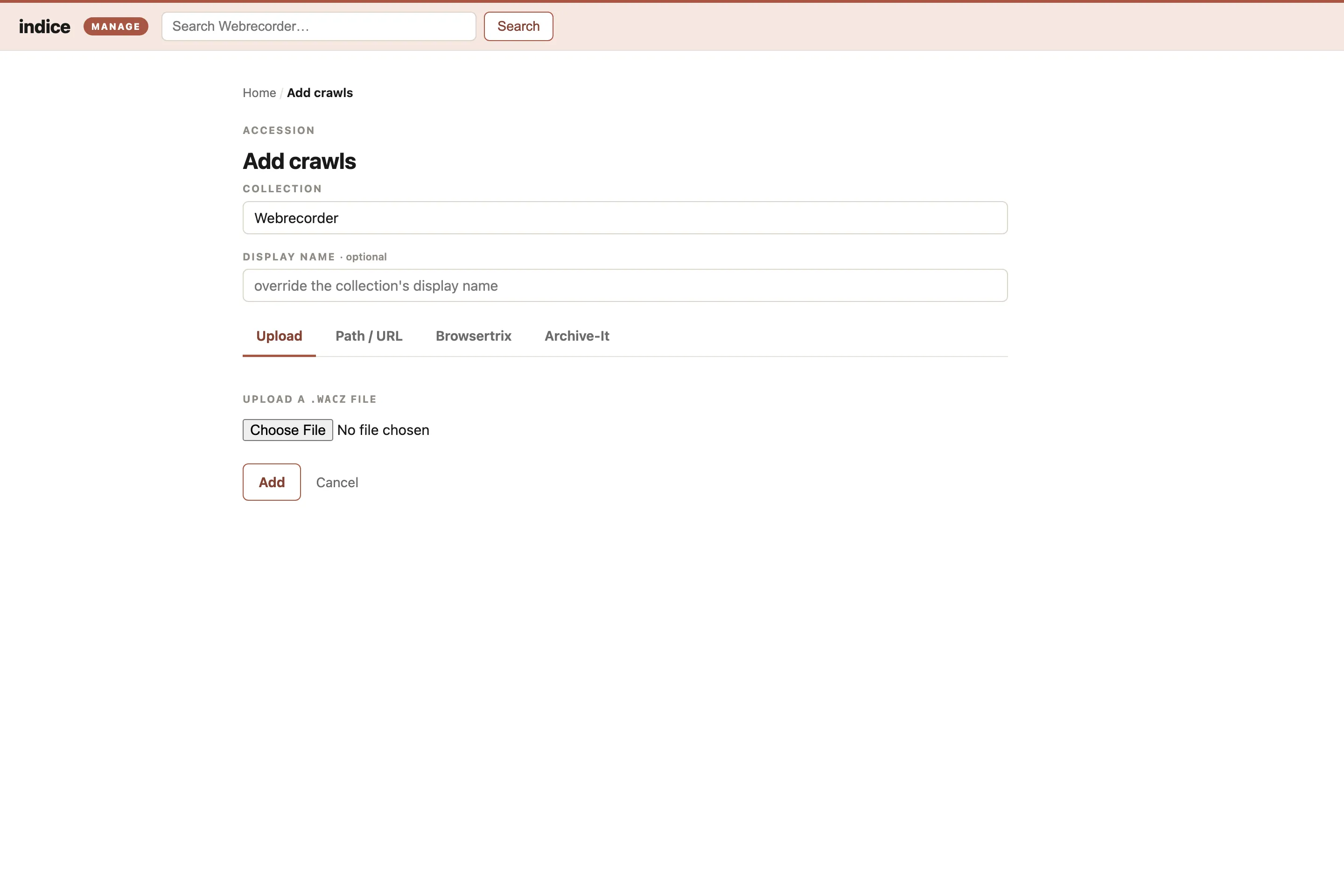
- Add crawls (the accession desk). Upload a
.waczfrom your computer, or give indice anhttp(s)://URL. Indexing runs in the background with live progress; when it finishes the crawl is searchable immediately (the server hot-reloads its reader, so no restart is needed). Uploaded files are copied into<home>/archive/; a URL is streamed in place. Browsertrix and Archive-It are additional source tabs: browse the configured account and pick crawls to import, with the same live progress. - The replay viewer gains a Notes panel for annotating a page or a selected passage. Notes are public to read but only signed-in users can write them.
Every one of these routes is always mounted. Whether you may use them is an authorization question, answered below, so an anonymous visitor gets a 403 rather than a page that does not exist.
On a workstation
Section titled “On a workstation”indice serve bound to 127.0.0.1, which is the default, trusts every caller: you are the only one who can reach it, so you are the admin and there is no login. users.yaml is not consulted at all here, which surprises people who write one and expect it to apply.
Because it trusts everything, indice refuses to start on a non-loopback address with no auth proxy configured, rather than putting an unauthenticated write surface on the network.
Replay runs on the next port, 127.0.0.1:8081, because archived pages run their own JavaScript and a different port is a different origin to the browser: script on it cannot act as you. There is nothing to set up. If that port is taken, indice serve says so; pick another with --replay-bind.
On a server (forward-auth)
Section titled “On a server (forward-auth)”To offer management to real users over the network, run indice behind a reverse proxy that authenticates the request and sets two headers: the caller’s identity, and a shared secret. Caddy and nginx both do this, with a login service such as oauth2-proxy or Authelia alongside them, which is what the shipped stack wires up.
Anything that can set both headers qualifies. Note the second one rules out some otherwise-plausible options: tailscale serve forwards its own identity headers but gives you no way to add a static secret, so it needs a real proxy behind it rather than replacing one.
indice serve \ --bind 127.0.0.1:8080 \ --auth-proxy-header X-Forwarded-Email \ --auth-proxy-secret "$INDICE_AUTH_PROXY_SECRET" \ --site-url https://archive.example.org \ --replay-url https://replay.archive.example.org--auth-proxy-headeris the header your proxy injects with the authenticated identity (e.g.X-Forwarded-Emailfor oauth2-proxy,Remote-Emailfor Authelia).--site-url(orINDICE_SITE_URL) is the address readers use for the site. Writes are accepted only from pages at that address, and a server will not start without it; see Cross-site protection.--replay-url(orINDICE_REPLAY_URL) is the hostname replay is served on, which your proxy sends to indice’s replay listener (127.0.0.1:8081here). A server will not start without one; Deploy explains why, and how to choose it.--auth-proxy-secret(or theINDICE_AUTH_PROXY_SECRETenv var) is a random secret your proxy must send in theX-Indice-Auth-Secretheader. It is a static header you set in the proxy config, not something your identity provider sends. Requiring it is what makes trusting the identity header safe: a client that forgesX-Forwarded-Email, or any request that didn’t come through the proxy, lacks the secret and gets a403.
Every write must carry both the identity header and the secret; anything else is rejected. Reading is not gated, so search, browse and replay stay open to anyone.
Who can do what
Section titled “Who can do what”Your proxy decides who gets in. indice decides what they can do, using three roles:
| Role | Can |
|---|---|
| Reader | Read everything public. This is anonymous visitors, and anyone signed in who isn’t on the roster. |
| Curator | Accession and describe: create collections, add and upload crawls, edit finding aids, run imports, and annotate. Delete crawls they added and their own notes. |
| Admin | Everything a curator can, plus the irreversible things: delete a crawl, delete a collection, and moderate anyone’s notes. |
In short: curators add and can undo their own additions; only admins remove a collection.
The asymmetry is deliberate. “You can delete what you created” reads well until someone else adds forty crawls to a collection you made, then deleting “yours” destroys their work. So ownership governs crawls, which belong to whoever accessioned them, while removing a whole collection stays an admin act.
indice records who added each crawl, so a curator can undo their own mis-upload without waiting for an admin. Crawls added from the command line, or before indice recorded this, have no recorded owner, they’re nobody’s, so only an admin can remove them.
Setting roles
Section titled “Setting roles”Roles live in <home>/users.yaml. A server requires it; a workstation ignores it.
users: - id: alice@example.org name: Alice Ramírez # shown publicly; omit to derive one from the id role: admin # admin | curator | reader (default: curator) - id: jun@example.org aliases: [j.tanaka@old.example.org] # prior addresses, so they keep their notesListed people get their role. Anyone else who signs in is a reader, with no more power than an anonymous visitor. An empty list (users: []) means nobody may write, which is honored as an answer rather than read as a missing file, and is how you run a public read-only archive.
Put your own identity in it, or you will have locked yourself out of your own archive. indice logs which roles it loaded at startup.
Changes take effect without a restart. indice checks whether the file has moved and re-reads it when it has, so approving a colleague is one line in a file you can commit and diff, not an ops task.
A signed-in admin or curator gets the edit-in-place controls everywhere, including the public pages. That works as long as your proxy forwards the identity on every request rather than only on /manage and the write APIs, which is what the shipped Caddyfile does.
If your proxy gates only the management routes, browsers will not send its credentials to the public pages, and the chrome would vanish there. For that case indice also sets a small signed, display-only session cookie (HMAC’d with the shared secret) at login and reads it on those pages. The cookie only drives rendering. Pages served without an identity show a Log in link (it points at the gated /manage/login, so following it trips the proxy’s login; after a redirect-based login you may come back to the homepage rather than the page you left). A Log out button clears the display cookie (a button rather than a link because logging out changes state, so it is a POST and covered by the same-origin check). If logging out returns cross-site request blocked, that is the same-origin check: --site-url is not the address your browser is using. Logging out clears both indice’s display cookie and the proxy’s session when INDICE_LOGOUT_REDIRECT points at your provider’s sign-out URL, which the shipped stack sets for you.
Cross-site protection
Section titled “Cross-site protection”Management writes are refused unless the request came from indice’s own pages. indice compares the browser’s Origin, which page script cannot set or change, against the site’s own address: --site-url on a server, the loopback address on a workstation. It falls back to Sec-Fetch-Site when a request carries no Origin, so a form on some other website can’t drive your signed-in browser into deleting a collection. This applies on a workstation too: a loopback bind is not a boundary a browser respects. While indice is running, any page you visit can reach 127.0.0.1. Securing a server covers this, framing, and the rest of what a public server defends.
Requests with no Origin header at all are allowed, which is what keeps curl and scripts working. That’s safe because browsers always send Origin on a cross-origin write, so its absence means the caller isn’t a browser and has no ambient credentials to ride on.
A workstation needs no configuration for this. A server is told its public address, and will not start without it:
indice serve --site-url https://archive.example.org # or INDICE_SITE_URLIf you get a 403 mentioning a cross-site request when using the workroom normally, that address is not the one your browser is using: the message names both the Origin it saw and the site address it compared against.
Deploy checklist
Section titled “Deploy checklist”- Bind indice to loopback and have the proxy connect to it there, so nothing but the proxy can reach the port.
- Configure the proxy to strip any client-supplied identity header on inbound requests before setting its own, so a client can’t smuggle one in. (The shared secret is your backstop if this is ever missed.)
- Set the static
X-Indice-Auth-Secretheader in the proxy, and terminate TLS there. - Pass the site’s public URL as
--site-url, so the cross-site check compares with the address the browser sees. - Give replay its own hostname, proxied to the replay listener with no login and both identity headers stripped, and pass it as
--replay-url.
One more, easy to miss: forward the identity on every request, including the ordinary pages. indice draws the workroom chrome on the homepage for a signed-in curator, so it needs to know who you are there too.
A sample config here would drift out of step with the real one, so read the shipped Caddyfile instead; it is commented. Deploy & run sets out the contract your own proxy has to satisfy.